Early access opening
Fuel tracking is getting a lot faster.
Click2Track is in final polish for iPhone launch. Join the early tester waitlist to get first access and help shape the experience before public release.
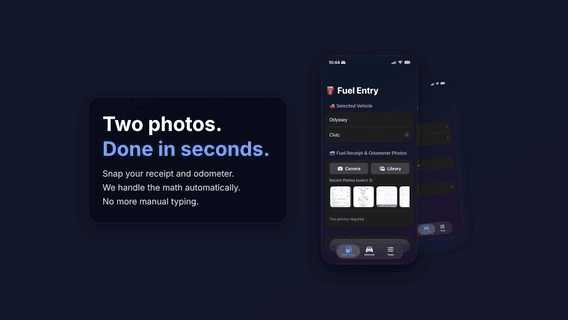
Early testers are invited in small batches. iPhone-only for now.
How it works
Screenshots
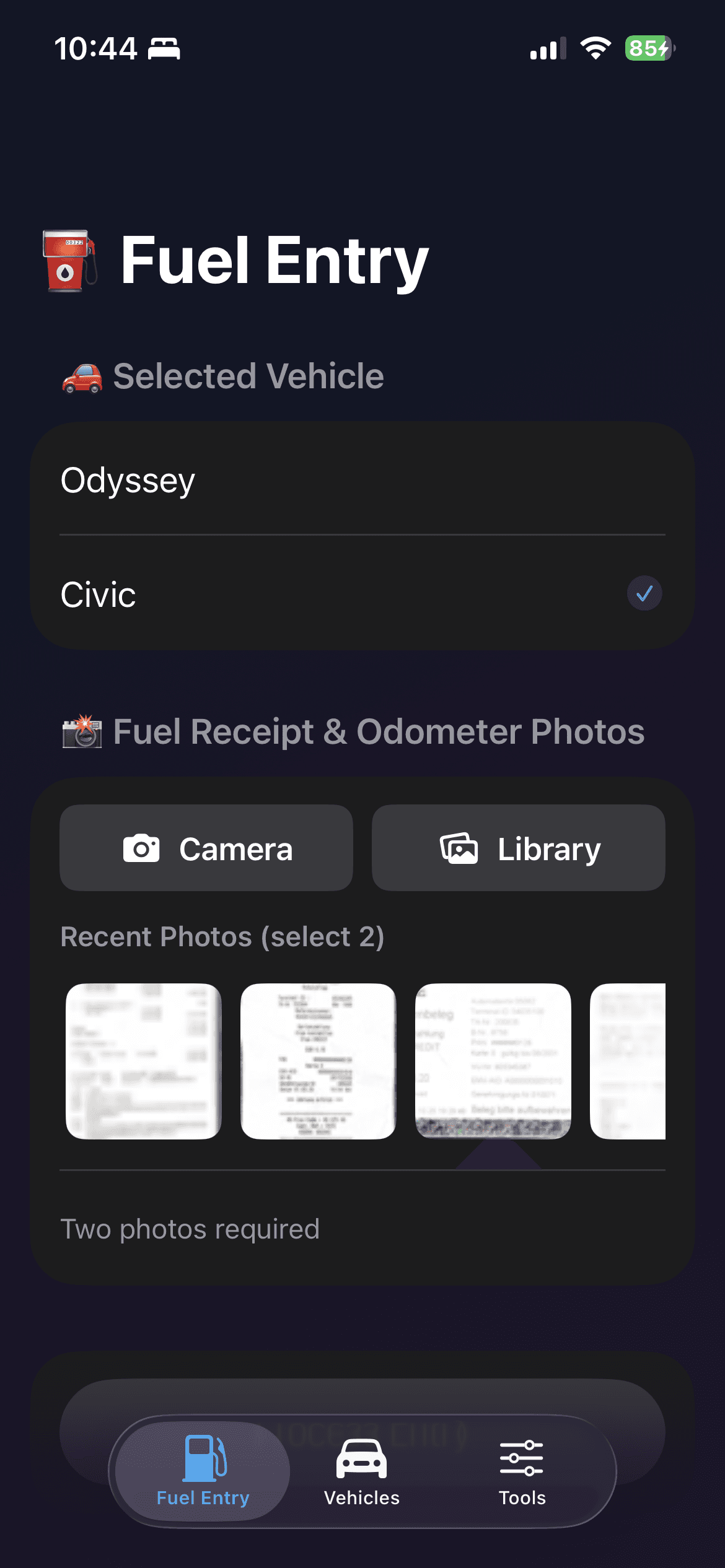
Fuel Entry
Choose a vehicle, capture receipt and odometer photos, and confirm the required two-photo input before saving.
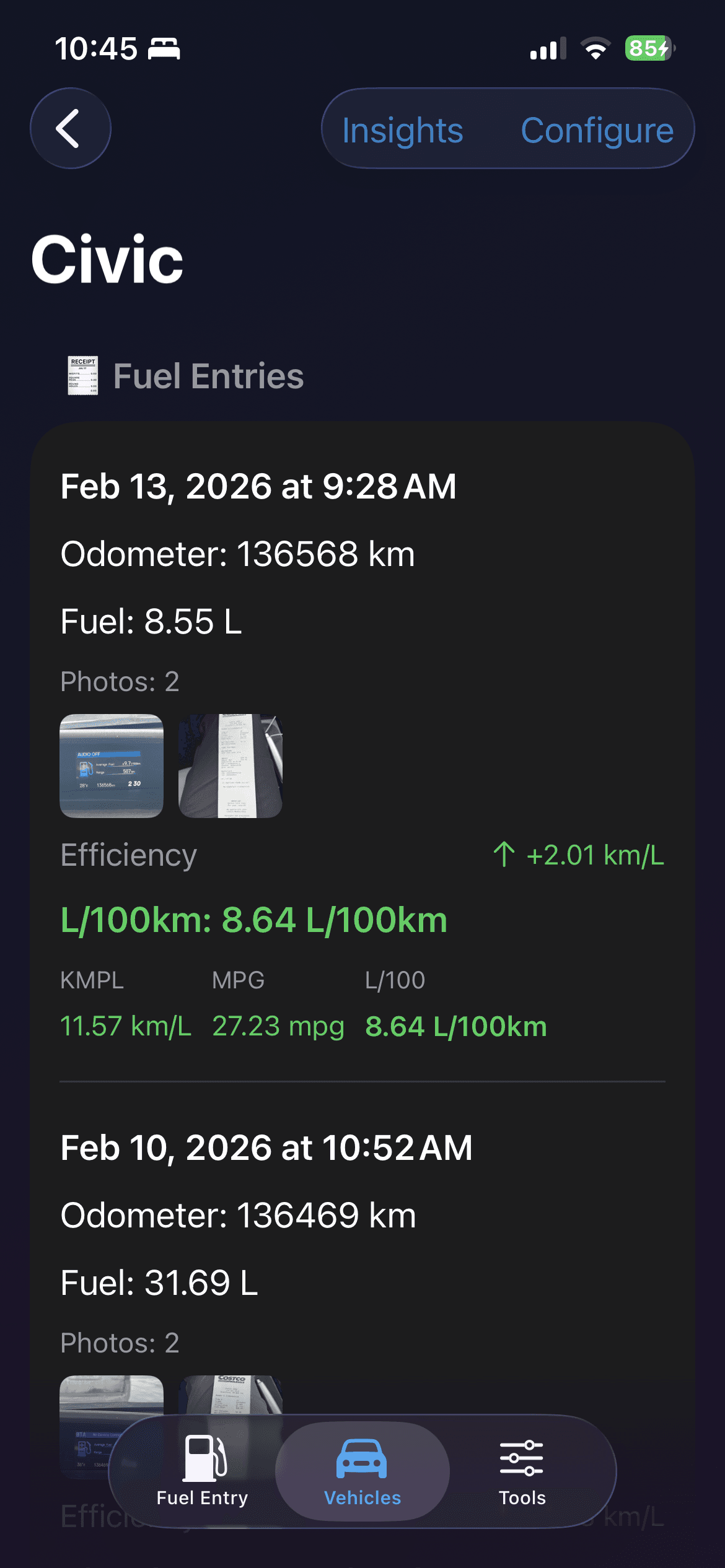
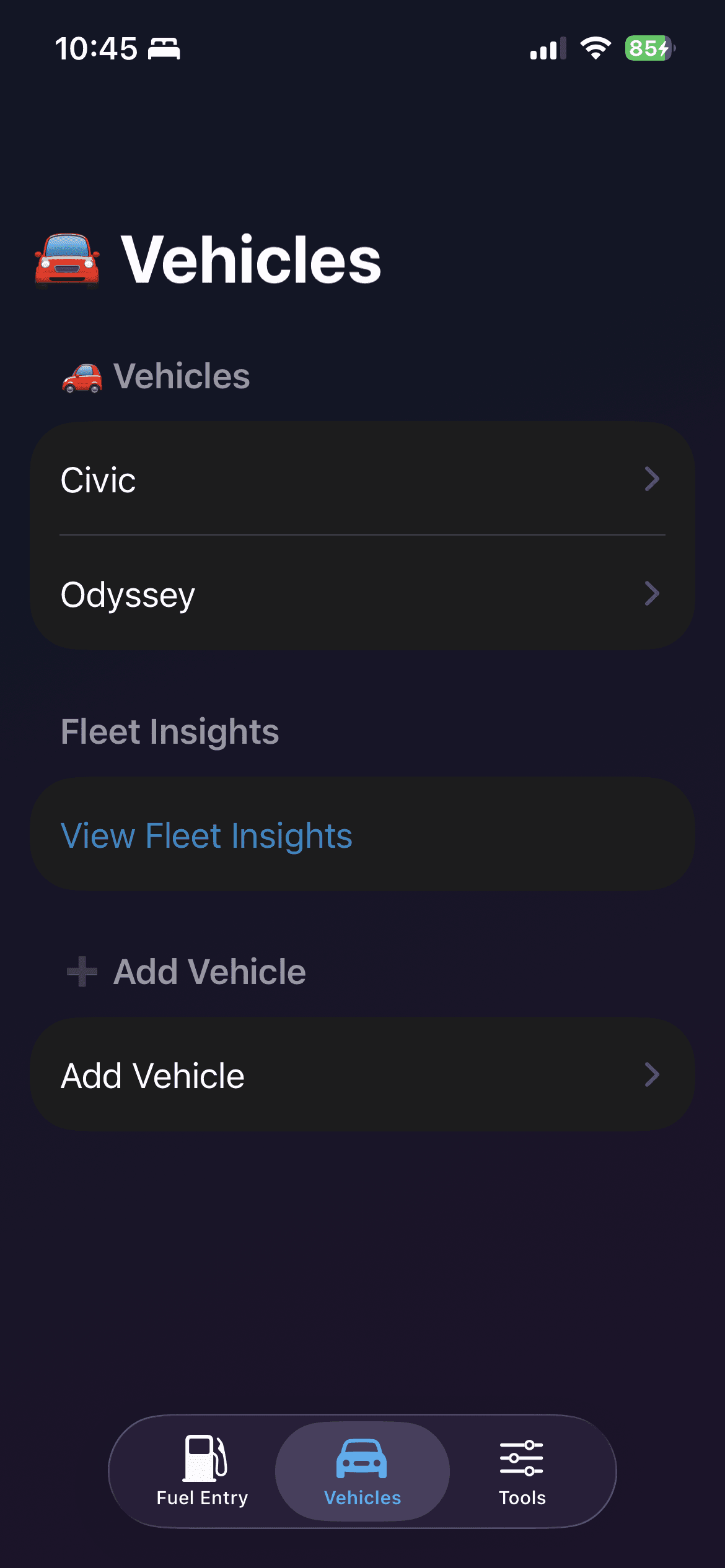
Vehicles
Manage multiple vehicles, switch context instantly, and jump into fleet-level insights from one list.
Vehicle Details
Review each fill-up with odometer, fuel volume, receipt thumbnails, and converted efficiency metrics.
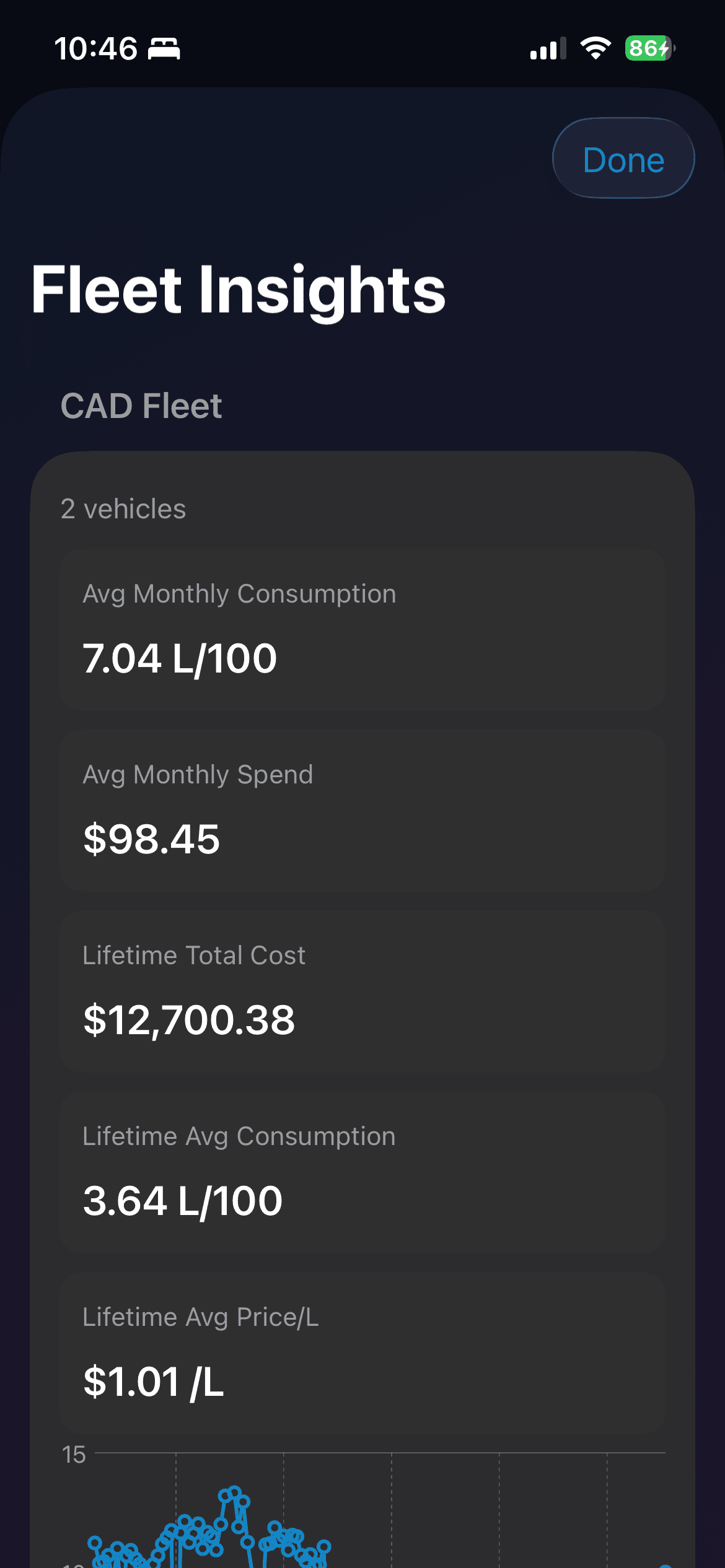
Fleet Insights
Compare cross-vehicle monthly spend, lifetime cost, and consumption from one shared fleet dashboard.
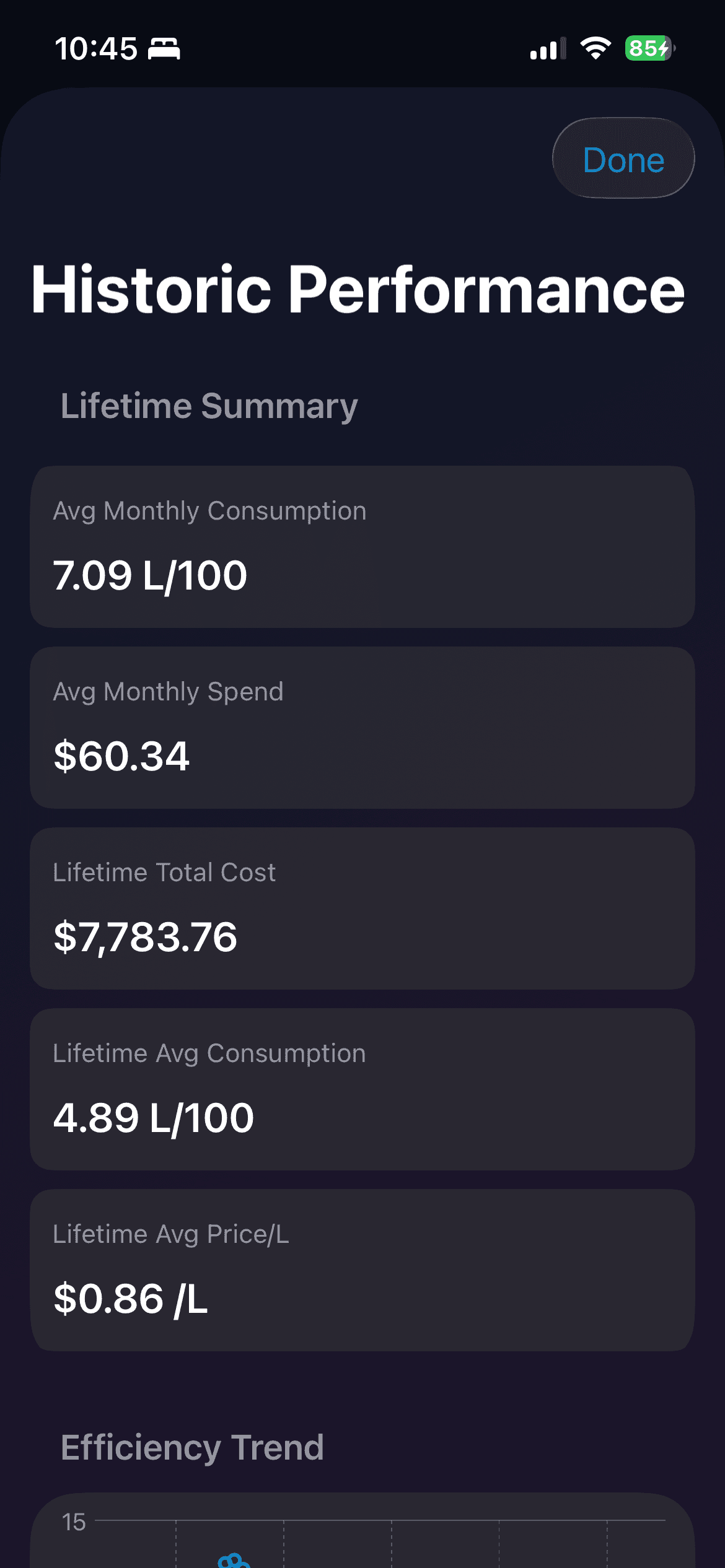
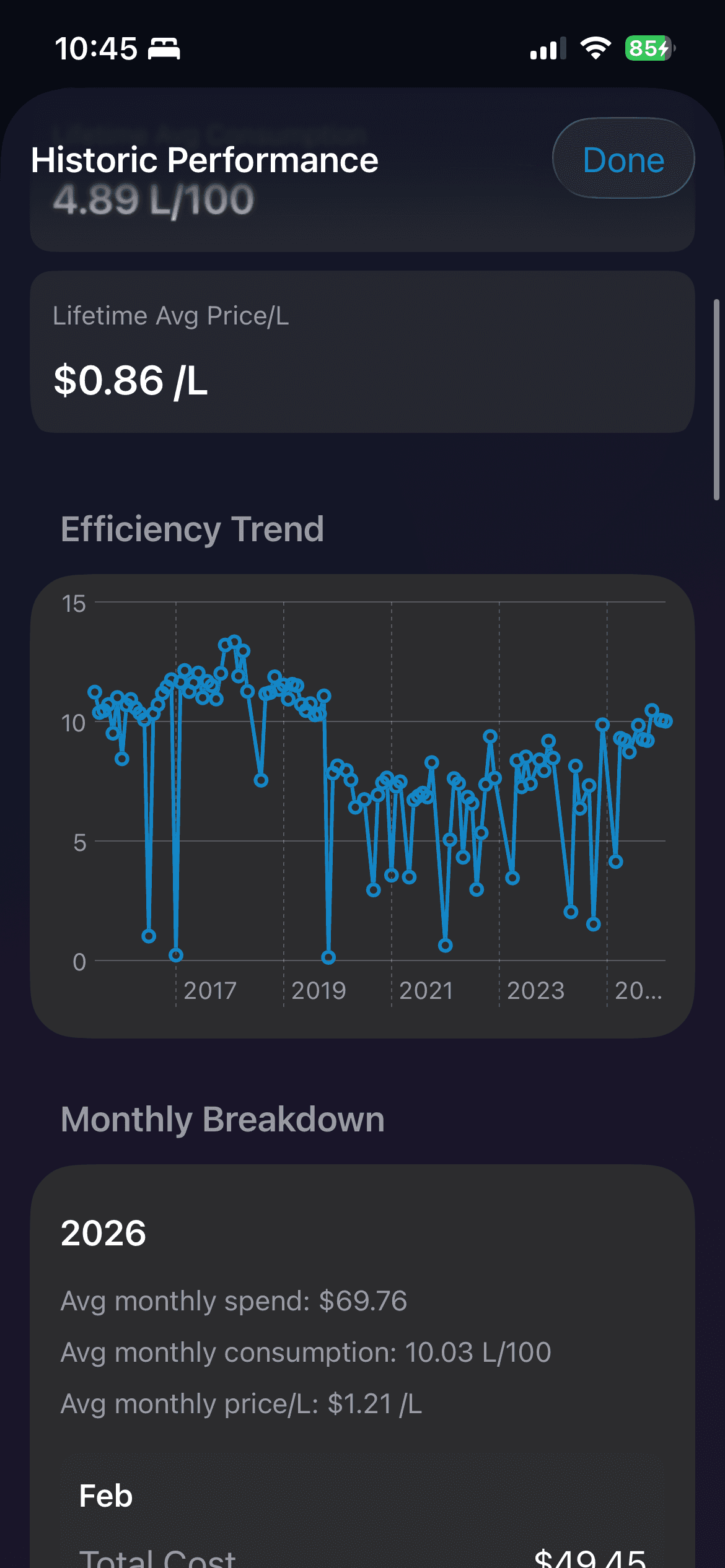
Historic Performance (Summary)
Scan lifetime summary cards for average monthly consumption, spend, total cost, and average price per liter.
Historic Performance (Trend)
Follow efficiency over time with a trend chart that makes outliers and long-term drift easy to spot.
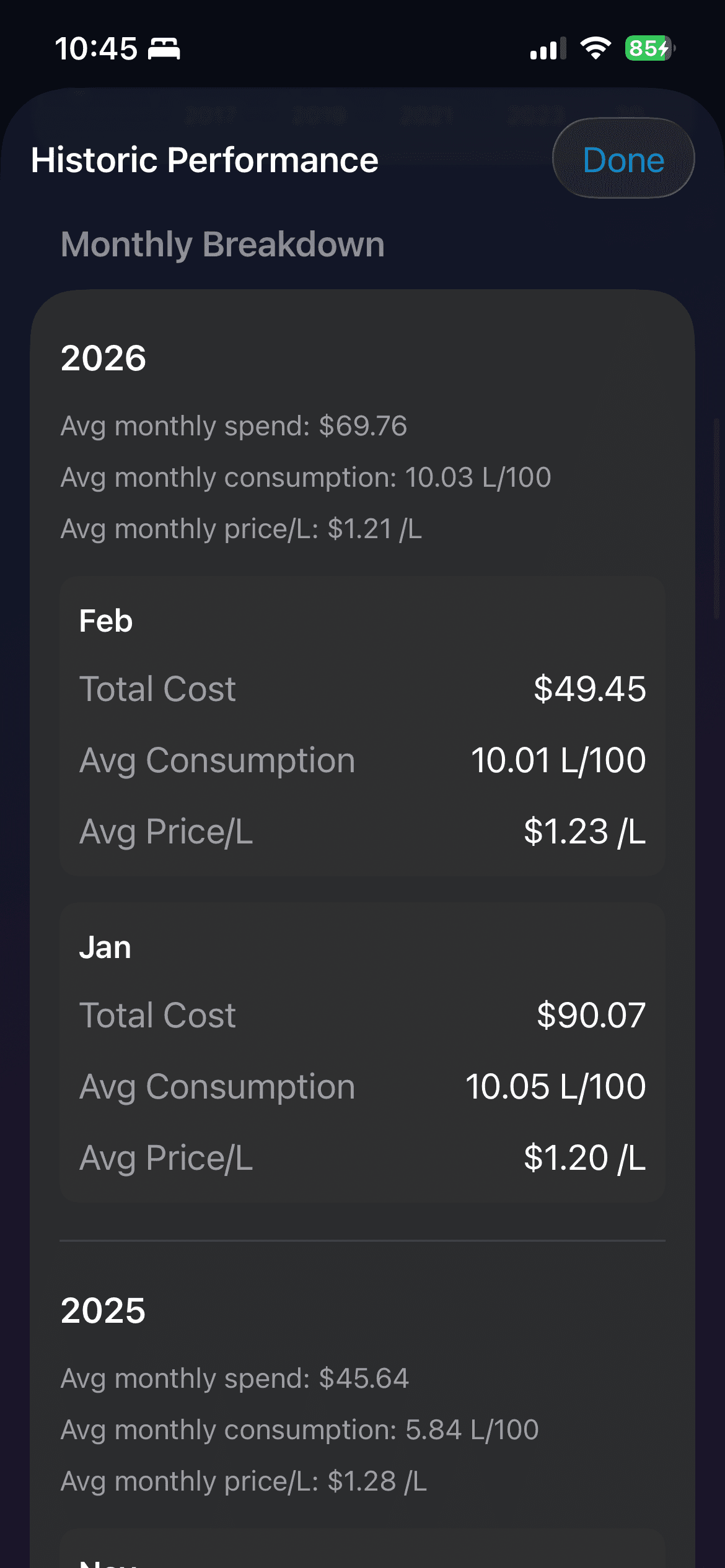
Historic Performance (Monthly Breakdown)
Inspect yearly and monthly breakdown cards to track total cost, consumption, and price changes.
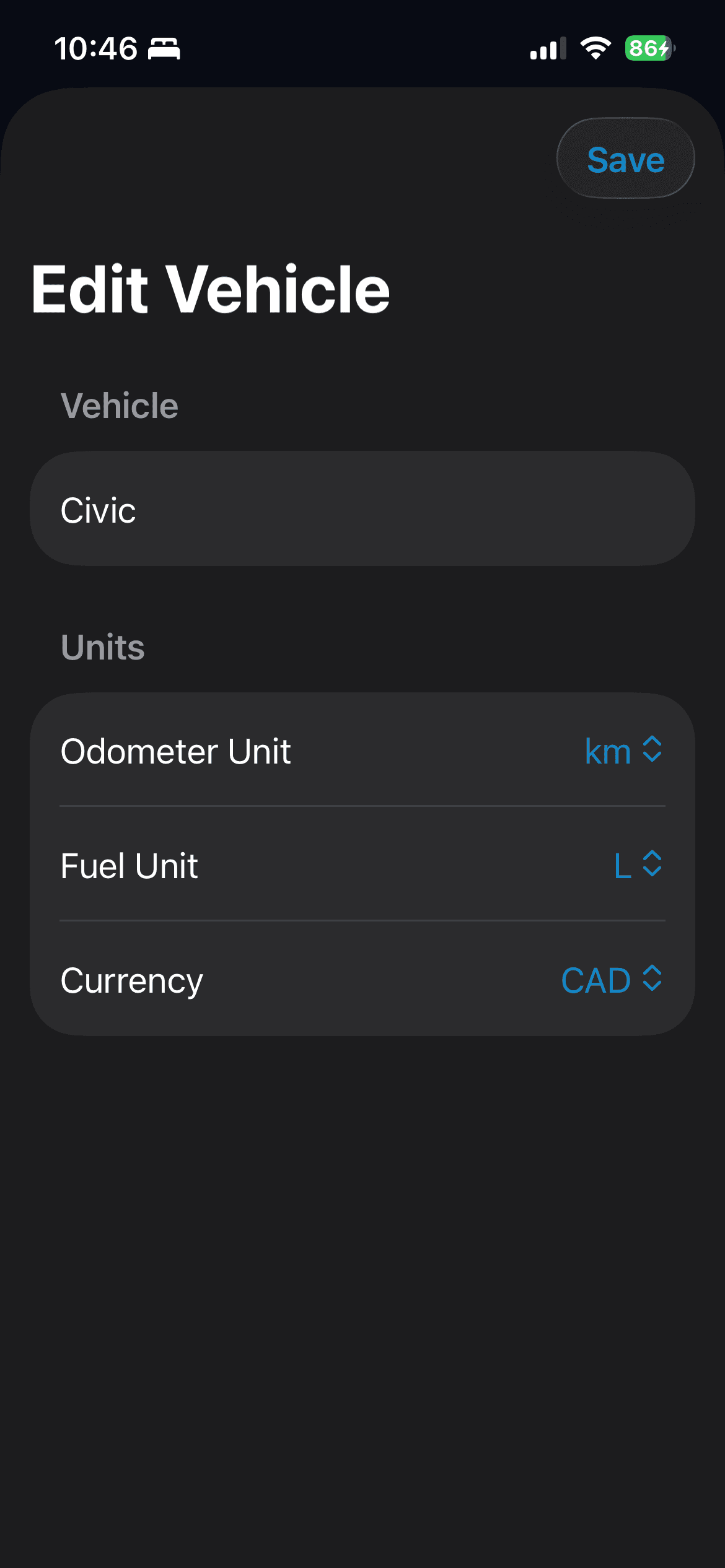
Edit Vehicle
Set odometer, fuel, and currency units per vehicle so reports match your region and preferences.
Built for iPhone
Deep iOS integrations, not just an iPhone port.
Click2Track is an iPhone app built around native iOS workflows. Home Screen Quick Actions, Siri Shortcuts, Home Screen widgets, iCloud Drive backup, and CloudKit family sharing are all built in to reduce friction after the two-photo capture flow.
Home Screen Quick Actions
Long-press the app icon to jump straight into repeat tasks. The fastest path into the app stays one gesture away when you need to log a fill-up quickly.
- Add Fuel Entry
- Process Last Two Photos
- Open Vehicles
- Open Tools
Siri Shortcuts
Use Siri Shortcuts and App Intents to launch the app directly into logging and scan flows. It is a faster handoff into the parts of the app you use most often.
- Start Fuel Entry
- Process Last 2 Photos
- Log Fuel
- Scan Odometer
- Scan Receipt
Home Screen Widgets
Key fuel metrics can live on your Home Screen. Widgets surface current efficiency, vehicle KPIs, and trend views without reopening the app.
- Fuel Efficiency
- Vehicle KPI
- Vehicle Trend
- Small, medium, and large sizes depending on widget type
iCloud Backup + Restore
Keep your data portable with iCloud Drive backup packages. Restore after a device change or reinstall using the recovery mode that fits your situation.
- Back up to iCloud Drive
- Restore with Merge
- Restore with Replace
Family Sharing
Share a vehicle with family using optional CloudKit family sharing. Shared data stays scoped per vehicle, so collaboration is available without turning the whole app into a shared workspace.
- Optional CloudKit sharing
- Per-vehicle invitations
- Finalized entries + images sync
- Pending captures stay local
Native iPhone polish
- iPad-adaptive layouts
- VoiceOver labeling in core flows
- Dark Mode support
- Localized UI across supported app languages
Early Tester Waitlist
Get the first invite when access opens.
Fill in the Google form to join the early tester queue. We invite in batches based on fit and onboarding capacity.
Open Waitlist Form<30 sec
Target logging flow
Capture receipt + odometer photos, review extraction, and save.
2 photos
Automatic extraction
Capture receipt + odometer and the app fills key values before you review.
iOS first
Built for iPhone now
No Mac or cross-platform scope yet. Product direction stays intentionally focused.
How it works
A simple flow that favors verification over guesswork.
01
Capture
Snap receipt and odometer photos from camera or photo library.
02
Review
Inspect extracted values and quickly correct anything before saving.
03
Track
See efficiency in km/L, L/100km, or mpg with trend deltas over time.
Why Click2Track
Built for people who care about speed and clean data.
Speed-first flow
Designed for quick repeat use so daily fuel logging never feels like a chore.
Accuracy gates
Suspicious entries are flagged, and odometer order checks block bad computations.
Private and inclusive by default
Photos never leave your device, the app uses no analytics, and Dark Mode, Dynamic Text, VoiceOver, and multiple locales are supported natively.
For media and creators
Press assets and product facts are ready.
Use the press kit for screenshots, logos, product descriptions, and contact details. Follow on X, Instagram, and Reddit for launch updates.
Go to Press Kit